An AI editor that
knows the website
Sharp's content team runs 12 regional websites. It prepares landing pages, copy and SEO with an AI assistant that works directly with the website's blocks in WordPress.
The assistant prepares a draft, an editor publishes it. Here is how it connects to the website, what it is allowed to do and how its changes are checked.
12
regional websites, each with its own connection
60
Sharp and Webentor blocks the AI knows
6
ready-made sections the AI builds landing pages from
4
checks before any change is saved
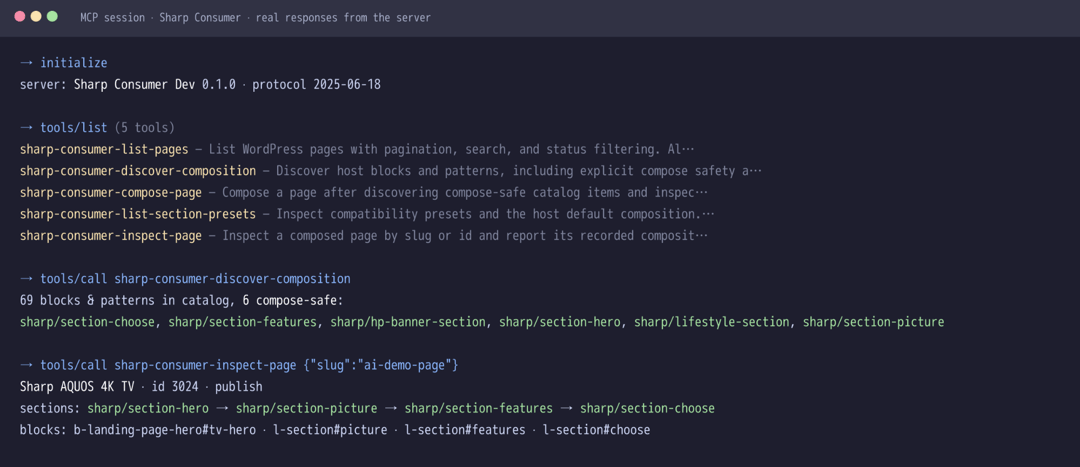
Real server responses: once connected, the assistant sees five tools, a catalogue of 69 items and what an existing page is built from.
Twelve markets, the same work
Sharp has 12 regional websites on one WordPress multisite, each on its own domain. Product landing pages, copy changes and SEO fields have to be prepared for each country separately.
The website is built on our Webentor theme. For Sharp, it has 33 custom blocks, from product hero sections and product listings connected to Typesense to specifications. On top of these, the site uses 27 general Webentor blocks, such as accordions, tabs and tables.
We wanted an AI assistant to help editors with this work directly in WordPress. Not as a chat window that text gets copied into.
How we built the platform for Sharp is described in the Sharp Consumer Electronics case study.
Why an ordinary chat isn't enough
An ordinary AI chat doesn't know the website. It doesn't know which blocks the theme has, how they nest or which settings they accept. When it writes a page's code blind, the page breaks or doesn't look like the rest of the site.
And we didn't want to let AI loose on live content without checks.
AI has to know the website before it starts changing it.
Connecting AI to the website
We made Sharp's website accessible through MCP (Model Context Protocol), an open standard that AI tools use to connect to other systems. So the assistant works with the website's real blocks and pages.
Generates a token
in WordPress, for their own account and for a limited time
Connects to the website
Claude Code, Codex or another app that supports MCP
Checks permissions
the assistant can only do what the token owner can
Blocks and pages
block catalogue, ready-made sections and existing pages
The token belongs to the editor
The editor generates a token in WordPress and adds it to their AI tool by following the instructions. The token belongs to their account, can be valid for just a few hours and can be revoked at any time.
The assistant can only do what the token's owner is allowed to do. Someone without permission to edit pages can't give that permission to their AI tool either.
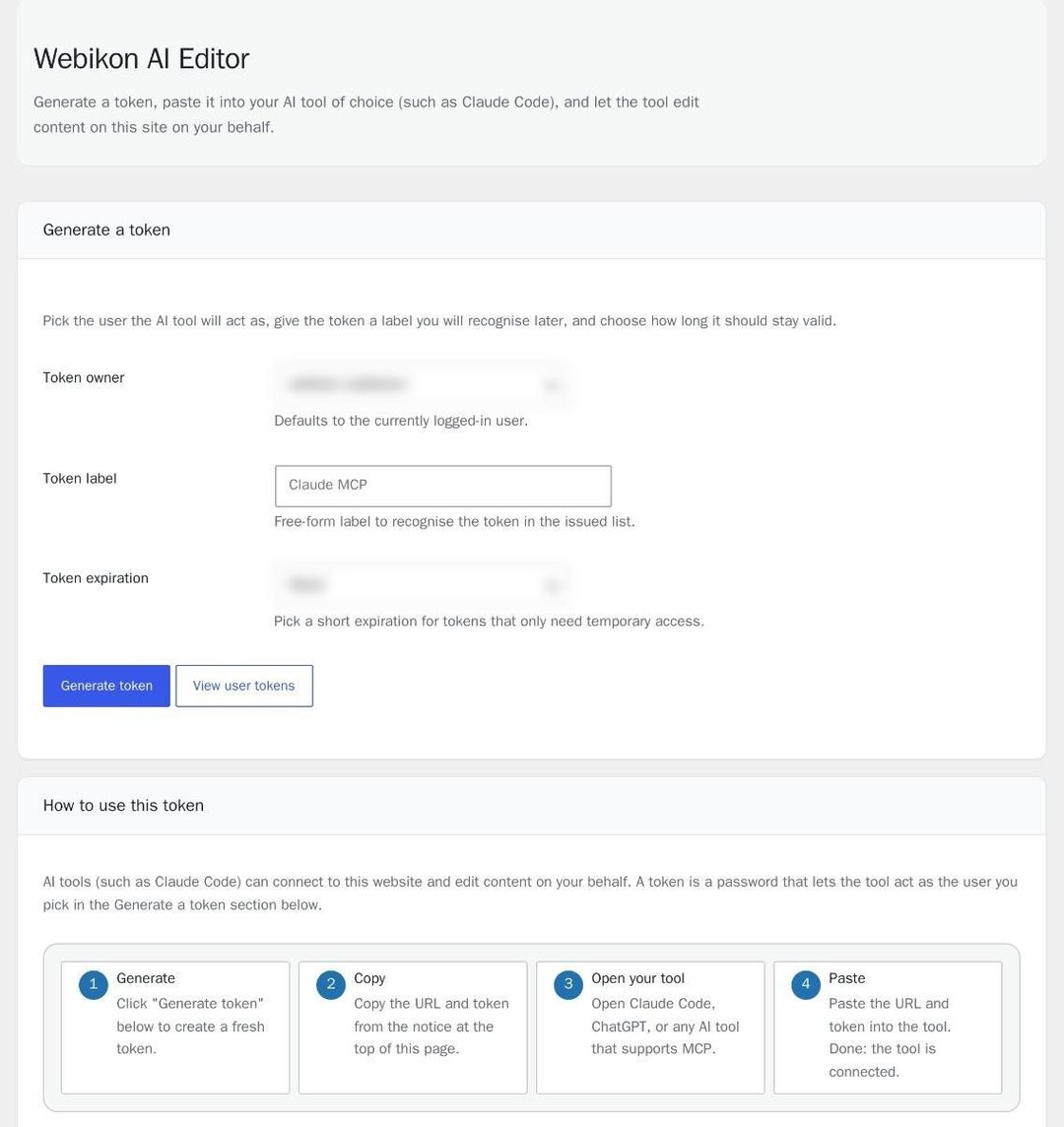
It looks first, then proposes
Once connected, the assistant finds out what it can work with: which blocks and patterns the website offers and which ready-made sections can be safely combined. Then it reads the existing pages. Only then does it make proposals.
A new landing page
It builds the page from Sharp's ready-made sections and writes the copy: the introduction, a section on picture quality, the benefits and a closing call to action.
Changes to an existing page
It adds, moves, rewrites or removes blocks.
Title, excerpt, URL and SEO
It also changes the page's details, not just its content.
It only works with blocks the theme actually has. So the result looks like the rest of the website, and the editor keeps working on it in Gutenberg like any other page.

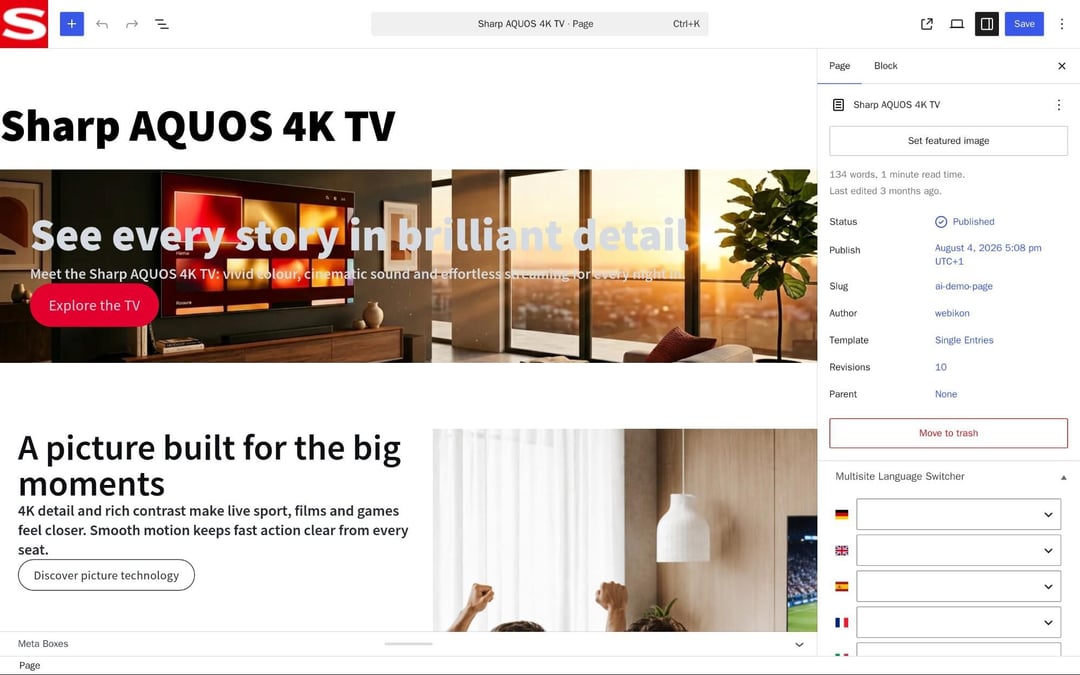
Control stays with a person
The AI publishes nothing on its own. It prepares changes as a draft, and the editor checks the preview and confirms them in WordPress.
Before every save
The block exists
The assistant can't insert a block the theme doesn't have.
The settings are allowed
Every setting must be one the block accepts.
The block is in the right place
A product card only belongs in a product listing.
The page loads
After saving, the page must load again without errors.
If anything doesn't fit, nothing is saved.
Before publishing
A draft, not a published page
The editor sees a preview and confirms the changes themselves.
Automatic only by choice
Publishing without confirmation can be switched on, but only deliberately and for a specific website.
Rules on top of every tool
A website can add its own rules that block an action.
What was hardest
Blocks
Only the block editor knew the nesting rules
How Webentor blocks nest is defined in the block editor's JavaScript, not in PHP, so the server can't see it on its own. On top of that, a product listing is a loop: the listing, a template inside it and, inside that, a product card that only works within the listing. So we wrote a block map that describes what each block is for and what goes inside it. Thanks to the map, the assistant builds listings correctly and never inserts cards on their own.
Multisite
Twelve websites, twelve connections
The block catalogue, pages and change drafts work separately for each of the 12 websites. Each website has its own connection.
Feedback
The assistant notes its corrections
Whenever an editor corrected it or it ran into a limitation, the assistant made a note. We used these notes to keep improving the tool.
From one website to the next
We built the first version specifically for Sharp in June 2026. In August, we turned it into the shared Webikon AI Editor plugin. Sharp has been running it in this form since 20 August 2026.
Shared plugin
MCP connection
Tokens and permissions
Change checks
Page building
Layer for a specific website
List of pages
Block catalogue and nesting map
Ready-made sections
The website's own rules
So for the next website built on the Webentor theme, we don't have to write anything from scratch. We install the shared plugin and add a layer with whatever is specific to that website.
Website
WordPress multisite (Bedrock), Webentor theme (Sage 11, Acorn), Gutenberg blocks, PHP 8.3
Connection
MCP through the official WordPress MCP Adapter and the Abilities API. The block catalogue is cached, and the cache refreshes itself when something changes.
AI tools
Claude Code, Claude Desktop, Codex and other apps that support MCP
Projects it builds on
The AI editor works because there is a well-built platform underneath it. These projects show what it stands on.
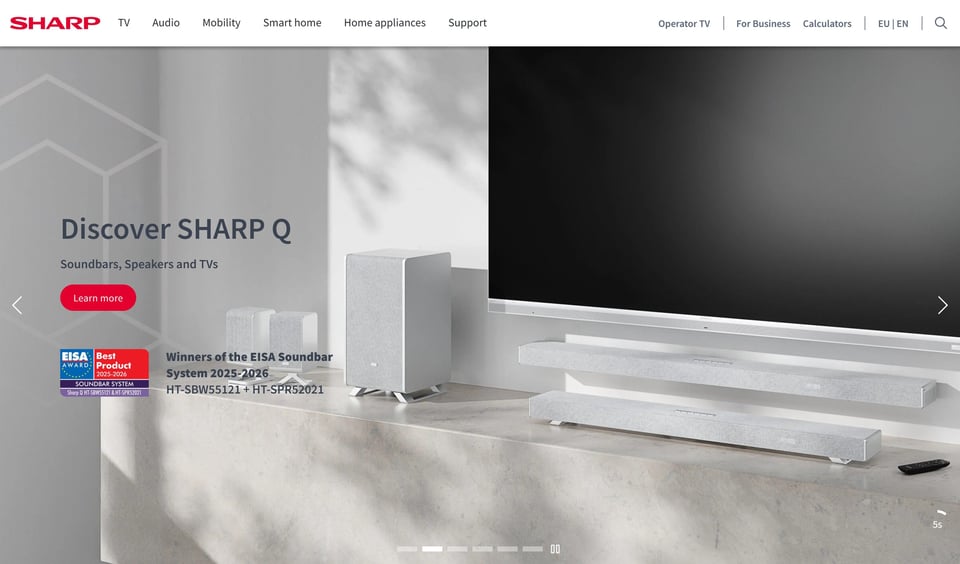

Sharpconsumer website rebuild
One web platform serving 12 European markets for a consumer electronics manufacturer.
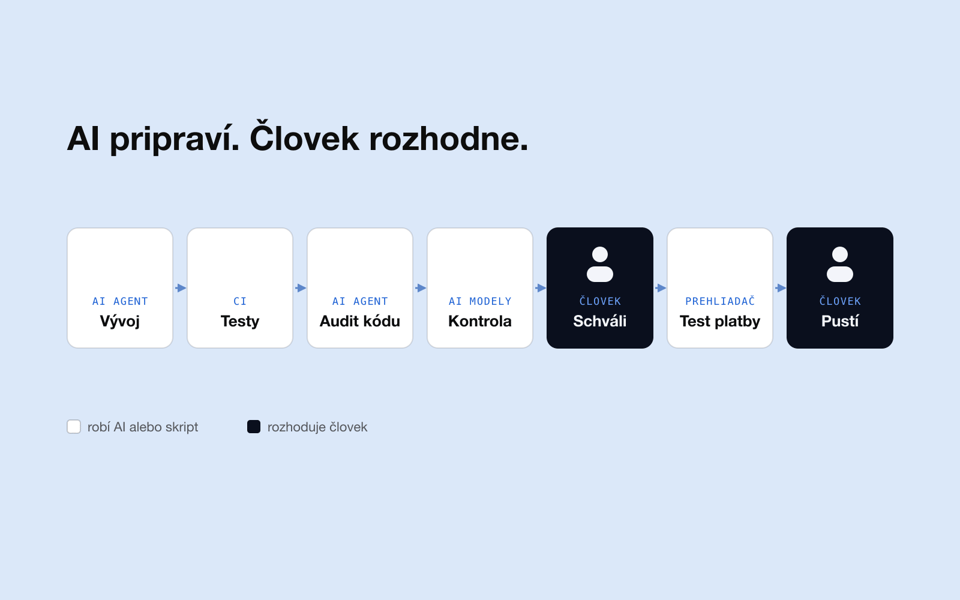
AI does the work, people decide
AI agents prepare fixes and releases for our plugins, and a person decides on everything that reaches customers. We also show how we check that the AI isn't wrong.
We can build AI that knows your website, too.
We'll find where work repeats in your content team and design a solution around it: from connecting AI to your content management system to rules on what it may and may not do. It doesn't matter whether we built your website.
No-obligation consultation.
We reply within 24 hours.