8 tips for a secure website
The basic security measures that protect your website, your data and your customers' data.
The internet is full of threats to websites, and they shouldn't be underestimated. Any website or application can become the target of a cyberattack.
And it isn't only you and your business at risk, but also the customers who visit your site. They are often unaware of the risks, so you have to think about them on their behalf.
You can never be 100% certain that an attacker won't come up with a new, sophisticated method. But prevention and thorough monitoring will significantly reduce the potential damage.
How do you know you've covered the security basics?
Tip 01
Check your SSL certificate
Modern browsers check it for you and make a point of flagging any problem. A certificate can expire or become invalid in other ways. Deal with it as soon as you notice. Few people today will willingly visit a site that doesn't load over HTTPS.
Tip 02
Install security updates
This applies doubly to open-source software. There's a good chance you use a CMS such as WordPress or October CMS together with extensions like WooCommerce. Deploy the latest updates before someone else discovers you haven't. They are part of regular website maintenance. And don't leave features on your site that you don't use, let alone ones you don't understand.
Tip 03
Strong passwords and two-factor authentication
Only people who genuinely need it should have access to your website's admin. A former employee doesn't need an account there, and neither does a developer who once worked on the site. Not every colleague needs full administrator rights either. A good CMS offers several levels of permissions.
Make sure everyone uses strong passwords and two-factor authentication, or another additional verification method, when accessing sensitive data. Password managers such as 1Password or Bitwarden help a great deal.
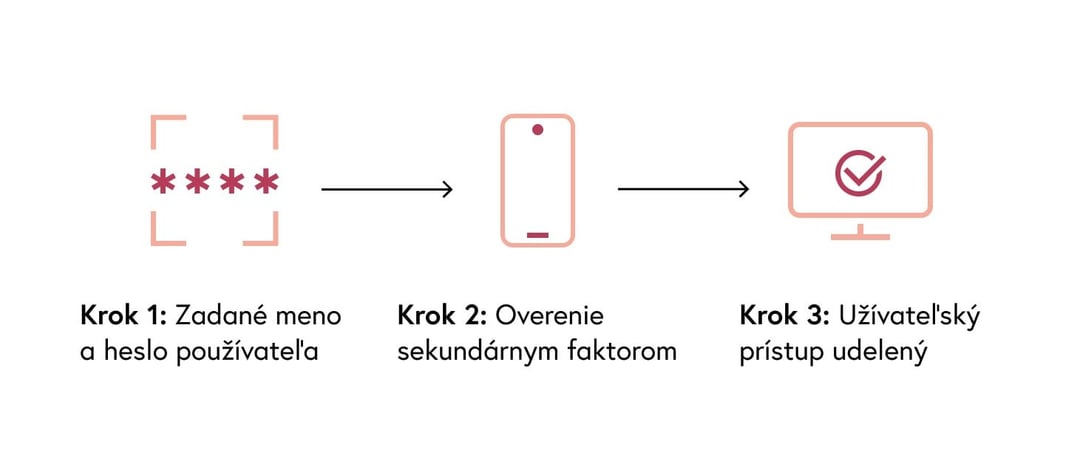
Two-factor authentication: after the password comes a second step, and only then access.
Tip 04
Monitor activity on your website
Monitor and log suspicious activity on your website. With continuous monitoring you quickly find out that something is wrong and can respond straight away. Activity needs to be evaluated both on the server and in the application itself.
Tip 05
Train your website administrators
Keep your team informed about current security risks and how to prevent them. Few technical measures can withstand social engineering, and it is much harder to detect.
Tip 06
Firewall and DDoS protection
A professionally configured web application firewall (WAF) acts as a shield that filters out most threats before they reach your website. Services such as Cloudflare, AWS WAF or Sucuri offer good value for money, you don't have to build anything from scratch, and they also protect you from DDoS attacks.
Tip 07
Back up your site
The best insurance is a full backup at the shortest possible intervals. Keep in mind that malicious code can also sit in the backup itself, or on the computers of the people who manage the site.
Tip 08
Get a security audit
Have both your website and your hosting checked by a company that specialises in security. You may find that your developers use outdated practices, or they may show you a three-year-old security hole in your CMS.
Stay safe online as well
A targeted attack is hard to defend against. But these measures will help you notice early that something is happening and give you time to respond. Above all, they reduce the chance of an attack happening at all.
Website security is not a one-off task.
We can take care of updates, backups, monitoring and incident response. Write to us and we'll go through the current state of your website.